




 Loading...
Ready to jump into the rhythm action that took the world by storm? Geometry Dash Lite is the perfect way to start your adventure! This free, streamlined version of the famous game gives you the pure, challenging fun of the original right away. You control a geometric icon that rushes forward, and your only mission is to tap, jump, and fly to the beat of the music to avoid every spike and obstacle. It's an instant rush of speed, precision, and electronic music!
Geometry Dash Lite is designed to give you a taste of the extreme difficulty and satisfying gameplay loop that makes the full game so popular. It features a selection of the early official levels, allowing you to learn the controls, master the timing, and experience the various icon transformations like the Cube, Ship, and Ball. Since it's free to play, it's the best place for beginners to practice their skills and get ready for bigger challenges. Get ready to test your reflexes and see how far you can dash in this classic rhythm platformer!
What is Geometry Dash Lite?
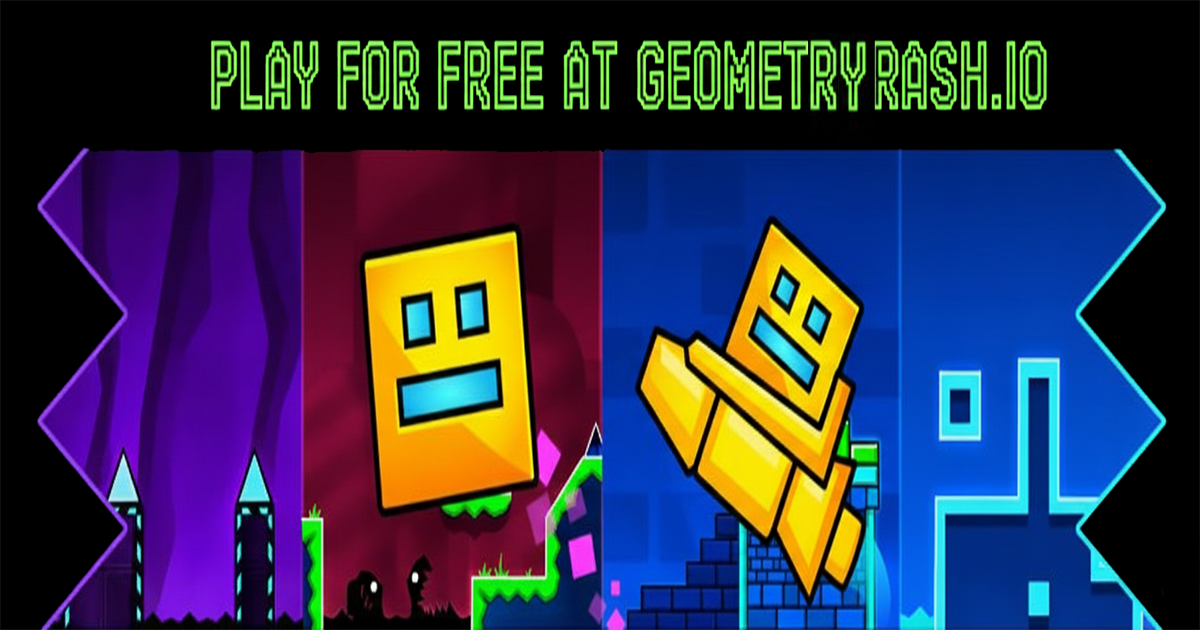
Geometry Dash Lite is the official, free-to-play introduction to the Geometry Dash universe. It is a side-scrolling, rhythm-based action platformer that provides a sample of the core game's challenging mechanics and iconic style. The premise is simple: guide a geometric icon through obstacle-filled levels that are perfectly synchronized with high-energy electronic music. The "Lite" version typically includes a handful of the easier official levels from the full game, such as "Stereo Madness," "Back on Track," and "Polargeist." This limited level selection makes it an excellent, low-commitment starting point for new players who want to understand the simple one-touch controls and the trial-and-error gameplay loop without purchasing the full title.
The main reason Geometry Dash Lite is so popular is that it serves as a perfect gateway. It introduces players to the various icon forms—the jumping Cube, the flying Ship, and the gravity-flipping Ball—and allows them to practice the precise timing needed to succeed. While the Lite version doesn't include the massive user-level editor of the full game, it gives players enough content to decide if they love the rhythm and challenge enough to take the plunge into the full, feature-rich version. It’s a clean, safe, and fun way to experience the foundation of the world-famous Dash franchise. If you want to dive into the technical details and history of the levels included, the Geometry Dash Lite Fandom Wiki has all the information you need.
How to Play Geometry Dash Lite
The objective in Geometry Dash Lite is to complete the level from the beginning to the end in one perfect, uninterrupted run. Your icon moves forward automatically, and you control its vertical movement with a single input: a tap or a click. You must time this input exactly to jump over or navigate around spikes, blocks, and other hazards. If you touch any obstacle, the run ends immediately, and you restart at 0%. As you progress through the levels, you will encounter different portals that transform your icon. For example, a yellow portal might turn you into a Ship, where holding the button makes you fly up and releasing makes you fall. You must learn the unique physics of each form to master the game. The core loop involves memorizing challenging segments, retrying until your muscle memory takes over, and finally, experiencing the pure joy of reaching 100%.
Controls
Mastering the controls is key to winning. Here is how to navigate:
- Jump/Action: Click the Left Mouse Button, press the Spacebar, or use the Up Arrow Key. A single press triggers the action needed for the current icon form (jump, gravity change, or ship thrust).
- Hold for Flight/Higher Jump: Holding the button down allows the Cube or Robot to jump higher, or allows the Ship and UFO to fly upward. Releasing causes the icon to fall or land.
- Pause: Press the Esc key to pause the game and access the menu.
- Practice Mode: The "Lite" version focuses on core gameplay but the original game offers Practice Mode with checkpoint functionality to train.
Features
- Instant Play: No installation required. Jump into geometry dash lite immediately in your web browser.
- Cross-Platform: Works smoothly on PC, Chromebooks, and mobile devices (via the official apps), making it accessible everywhere.
- Free to Start: Offers a free selection of official levels, making it the perfect introduction for new players to learn the mechanics without any cost.
- Custom Icon Unlocks: Allows players to unlock cool new colors and icons by collecting secret coins or achieving high scores in the available levels.
Tips and Tricks to Win
Want to beat the high score? Keep these strategies in mind:
- Start with Stereo Madness: The first level, "Stereo Madness," is the easiest. Start here to get a feel for the rhythm and timing, and don't move on until you can beat it consistently. It’s all about building that initial muscle memory.
- Divide and Conquer: For harder levels like "Polargeist," mentally break the level into small chunks. Focus only on mastering one difficult 5-second section before moving to the next. Use the practice mode if available, or simply restart until you conquer that specific chunk.
- Mute the Game (Sometimes): While the music is helpful, sometimes the fast pace and visual effects can be overwhelming. Try playing a difficult section silently a few times to see if removing the audio distractions helps you focus purely on the visual timing of the blocks.
Geometry Dash Lite Unblocked
Looking to play geometry dash lite unblocked? Our site offers a secure version that bypasses restrictions often found on school or office networks. Since the Lite version is designed for quick, instant fun, playing it unblocked means you can practice your dash skills anytime and anywhere, including during school breaks. Our platform delivers a clean, fast-loading, and unrestricted experience.
Geometry Dash Lite Unblocked 76 & Alternatives
While players often search for terms like unblocked 76 or 66, playing Geometry Dash Lite directly here ensures you have the latest, safest version optimized for Chrome, Edge, and Firefox. These "unblocked" search terms often lead to outdated or ad-heavy sites. By playing on our platform, you skip the hassle and get straight to the challenging rhythm action you're looking for!
Where to Download Geometry Dash Lite?
Always prioritize official sources to avoid viruses.
- Goorgle Play: Geometry Dash Lite is available as a free download! You can find it on Google Play for Android devices. This is the official way to play on your phone or tablet.
- App Store: Apple users can download the free Geometry Dash Lite from the App Store for iPhone and iPad. It’s a great, official option for iOS players.
- Steam: The full, paid version of Geometry Dash is on Steam. The Lite version is typically reserved for mobile and browser play, designed as a free starter pack.
- Browser HTML5: Play directly on geometryrash.io without downloading anything! This is the fastest, easiest way to start playing instantly and unblocked.
- APK: Avoid third-party APKs. Play here legally instead! Downloading files from unofficial sources can risk your device's security.
Frequently Asked Questions
Is Geometry Dash Lite free to play?
Yes, Geometry Dash Lite is completely free to play. It is designed to be a free introductory version to the Geometry Dash series.
What is the difference between Geometry Dash Lite and the full version?
Lite is free and offers only the first handful of official levels (typically 11). The full version is paid, includes all 26+ official levels, and features the powerful Level Editor and access to millions of community levels.
Are the Lite levels easier than the full game?
The levels included in the Lite version are generally the easier official levels from the full game, making it a great place for beginners to start and practice.
Can I unlock all the icons in Geometry Dash Lite?
No, Lite has limited icon customization. You can unlock some specific icons and colors, but the full variety of icons requires the purchase of the full version.
Does Geometry Dash Lite have the Level Editor?
No, the Level Editor—the tool used to create and share custom levels—is an exclusive feature of the full, paid version of Geometry Dash.
Similar Games
If you enjoyed geometry dash lite, check out these related Dash games for more fast-paced, reflex-driven fun:
- Geometry Subzero: A free spin-off featuring exclusive levels and new dynamic 2.2 features like camera control.
- Geometry Dash: The original, full-featured rhythm-platformer with all levels and the huge Level Editor.
- Dashmetry: A similar geometric challenge that requires precise timing and quick reflexes to navigate the obstacle course.
Conclusion
Geometry Dash Lite is the perfect starting line for anyone looking to experience the world's most famous rhythm platformer. It delivers the core challenge, the exciting music, and the addictive trial-and-error gameplay that makes the series a legend. It’s simple to pick up, impossible to put down, and a fantastic way to train your reflexes.
Ready to master the Cube and the Ship? Dive into the original levels and prove your rhythm! Click to play Geometry Dash Lite unblocked now and begin your journey into the dash universe!